How to add a YouTube video to your guide
Do you have a video on YouTube that shows how to do something? This guide will show you how to add it to one of your guides.
Easy 49 views
What You'll Need
- add video
- write guide
Steps
- 1
Step 1
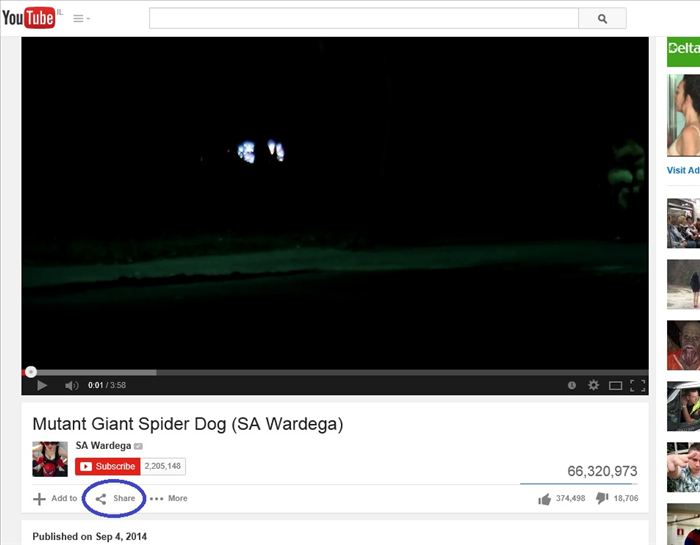
Go to the Youtube video that you want to add to your guide.
Click on "Share" - circled in blue
- 2
Step 2
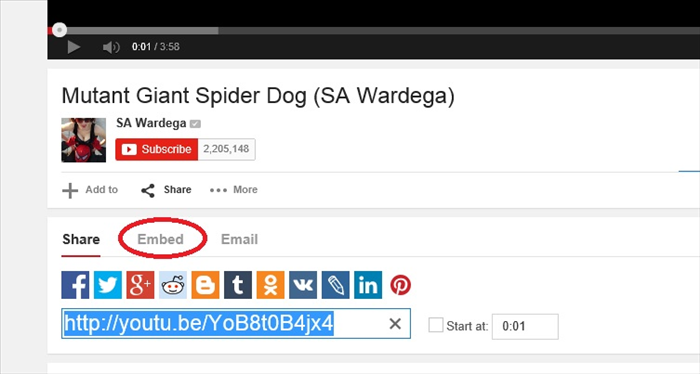
Click on "Embed" - circled in red
-
- 3
Step 3
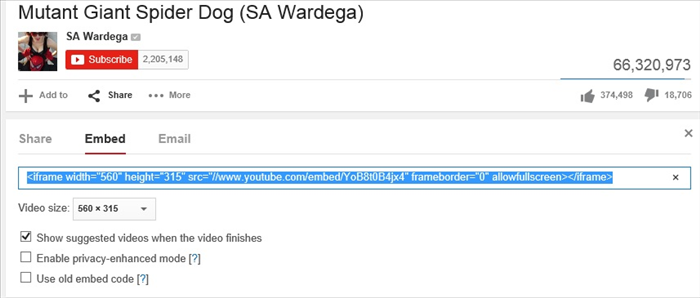
Copy the Highlighted text.
- 4
Step 4
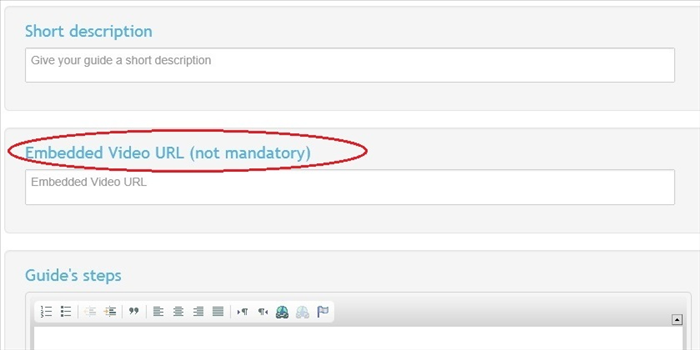
Paste the copied text into the textbox under "Embedded Video URL"
- 5
Step 5
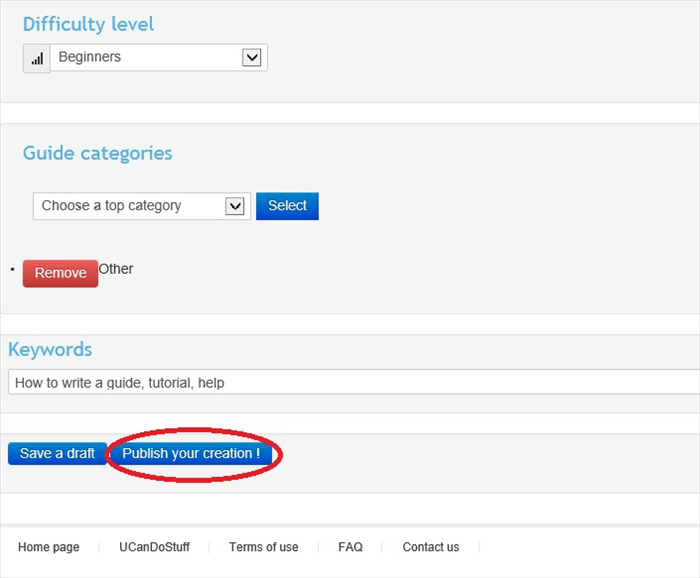
When you have finished your guide scroll down to the bottom of the page and click on "Publish your creation!" or save it as a draft to publish later.