How to write a guide for ucandostuff
You can write a guide and publish it or save it as a draft to work on later.
What You'll Need
- How to write a guide
- tutorial
- help
Steps
- 1
Step 1
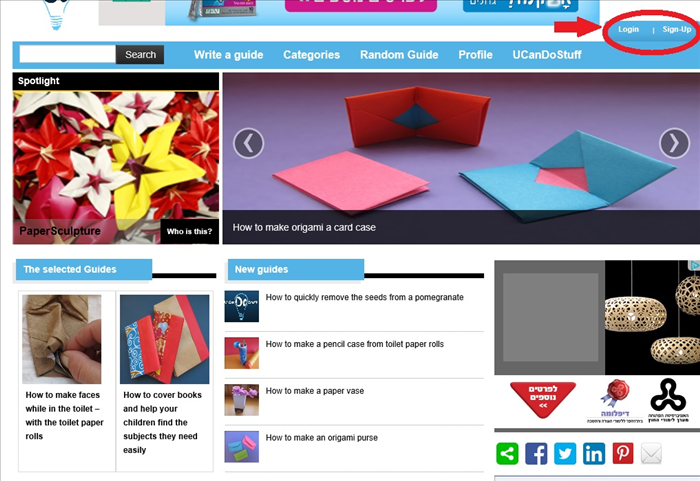
Click on "Login" or "sign-up" - circled in red at the top right of the page.
If you are already logged in then click on "Write a guide" at the top of any page.
- 2
Step 2
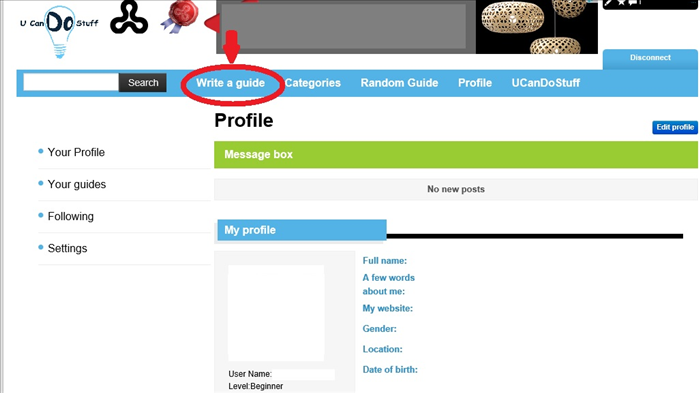
After you have logged in your Profile page will appear.
Click on "Write a guide" - circled in red
-
- 3
Step 3
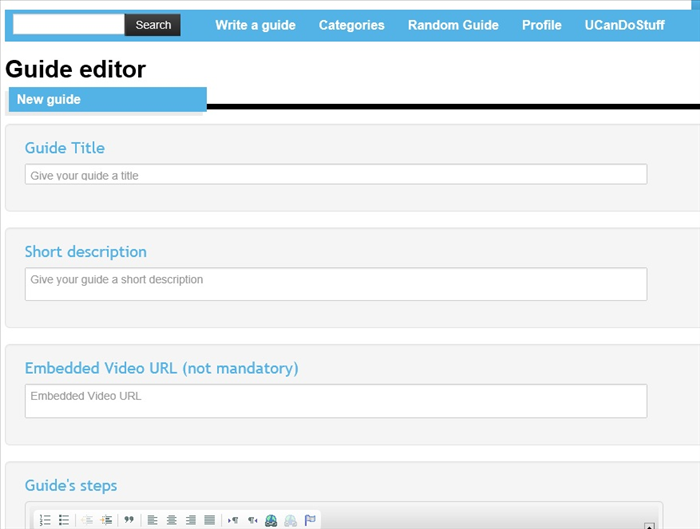
Your guide editor will appear.
Click on the text box under "Guide Title" and type in the title of the guide.
Click on the text box under "Short description" and type in a short description about your guide.
- 4
Step 4
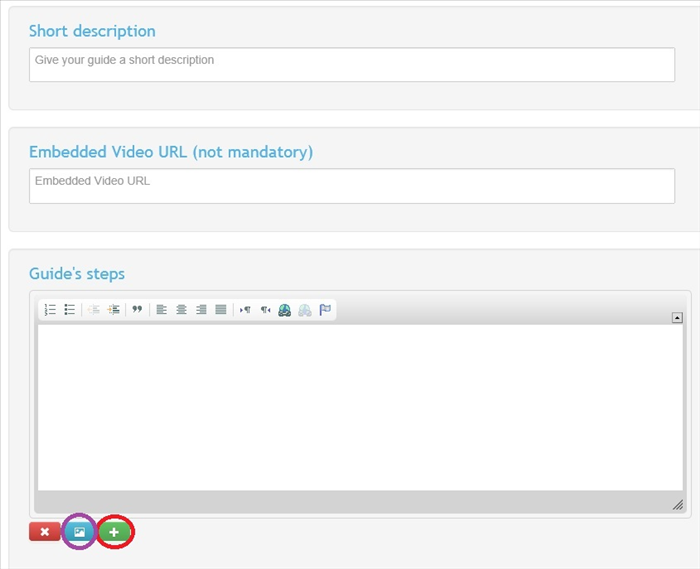
Scroll down until you get to "Guide steps".
Type the first step of your guide in the text box.
If you want to add a picture click on the blue icon - circled in purple.
If you want to add another step click on the plus sign - circled in red.
You can delete any step by clicking on the "X" on the red button.
- 5
Step 5
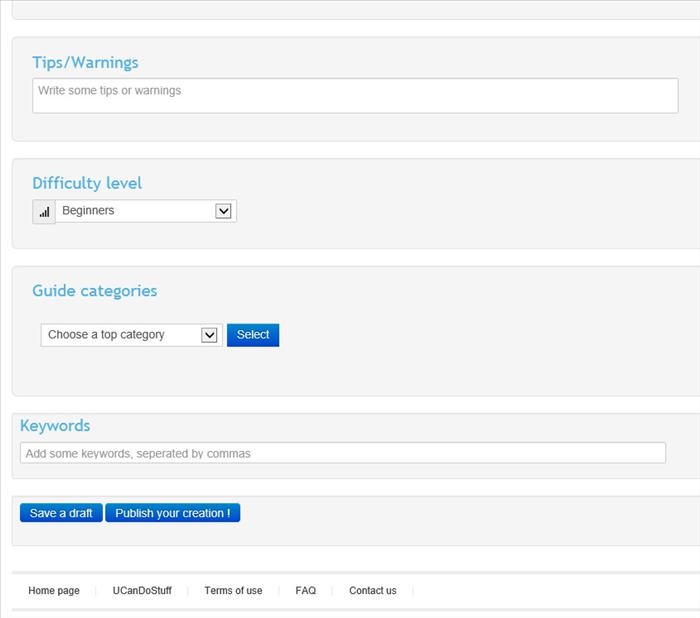
Scroll down the page to "Tips/Warning" if you have any type them into the textbox .
Under "Difficulty level" click on the arrow in the text box. A menu will appear. Click on the difficulty level and then click on "Select"
Under 'Guide categories" click on the arrow next to "Choose a top category" then click select.
A new pull down menu fill appear. Choose the next subcategory and click "select" If another pull down menu appears choose and click "select".
- 6
Step 6
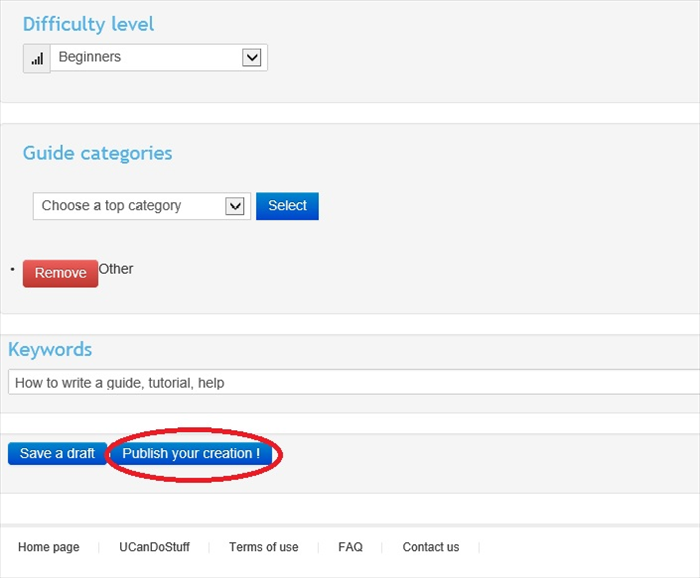
In the text box under "Keywords" type in any words that will help find your guide in a search. Seperate the words with commas.
If you want to publish the quide now click on "Publish your creation!" circled in red.
If you would like to continue working on the guide later click on "Save a draft"