How to make a copy of what you see on your computer screen
Have you ever seen something cool on the internet that you wanted to look at off line or wanted to send someone a picture of what you see on your screen? It is really easy to do.
Easy 7,686 views
What You'll Need
- Screen capture
- picture of screen
Steps
- 1
Step 1
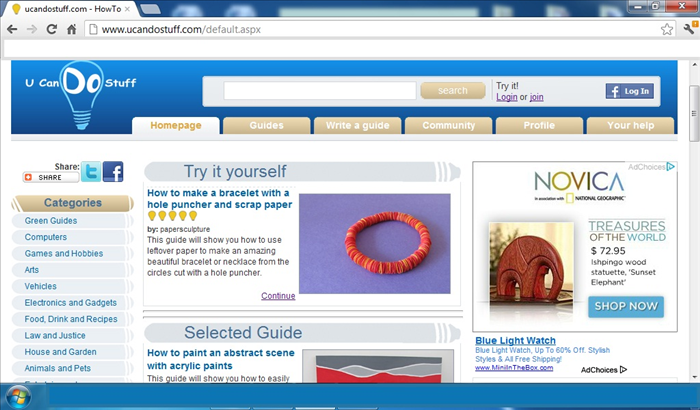 Open the file in a program or go to the site you want to have a picture of.
 - 2
Step 2
Click on the print screen key on your keyboard. It will probably be abbreviated to something like PrtScn and on the top right next to the F12 key. -
- 3
Step 3
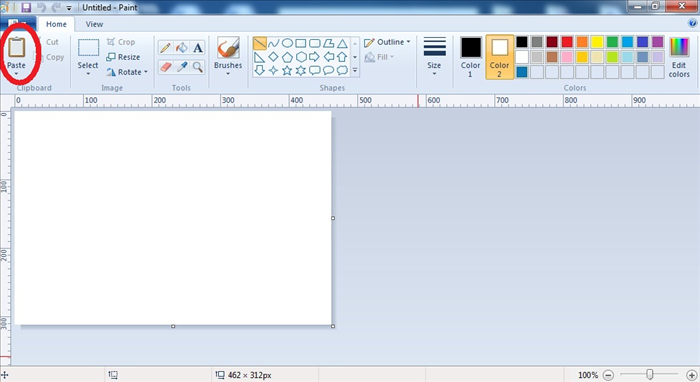 Open Window's Paint program and click on paste
 - 4
Step 4
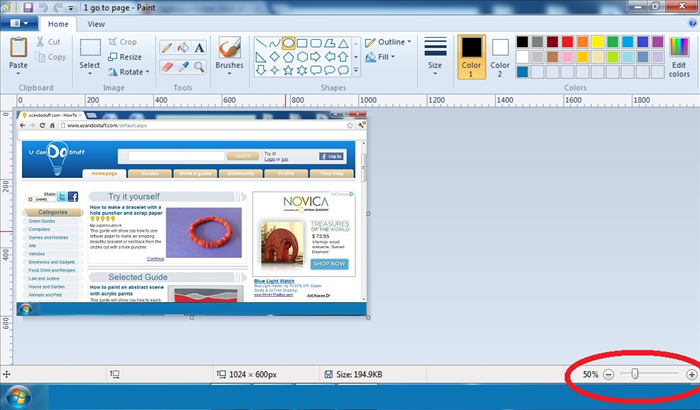 and you will see the picture of the screen. If it is too big to see all of it you can make it bigger or smaller with the plus and minus signs on the bottom right
 - 5
Step 5
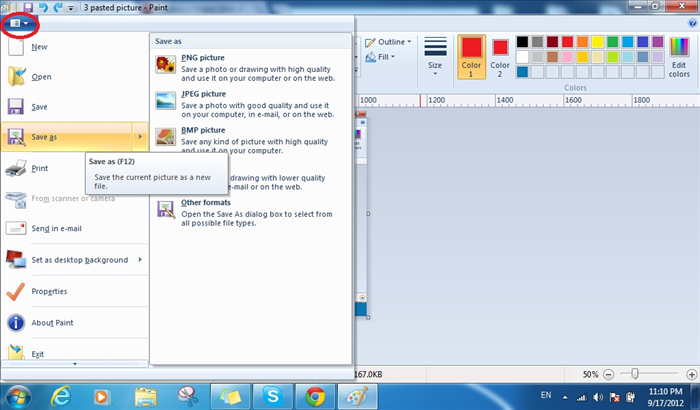 Click on the arrow at the top left and a menu will come down. Click on Save as and then click the type of picture you want- usually BMP or JPEG
 - 6
Step 6
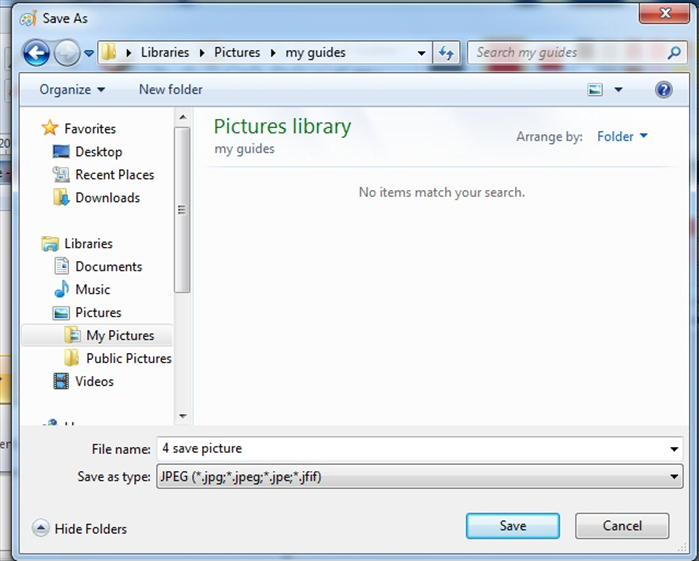 A new window will open. Give the picture a name and click Save. Easy!