How to upload pictures to Google Docs
There are alot of advantages for uploading files to Google Docs. People can work on these files simultaneously, they are all saved in one place and they can be reached from anywhere (even from your smartphone). This guide will explain how to upload files to Google Docs.
Easy 857 views
What You'll Need
- גוגל דוקס
- Google docs
- עריכת קבצים
Steps
- 1
Step 1
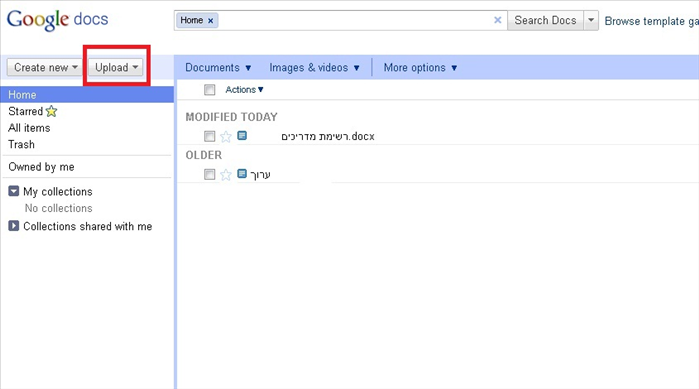 Enter the url: http://docs.google.com in the address bar in your browser. To work with Google docs you must have a google account (if you registered into one of the services they offer like Gmail, Google plus etc, you can use that account). Press the Upload button on the main page.
 - 2
Step 2
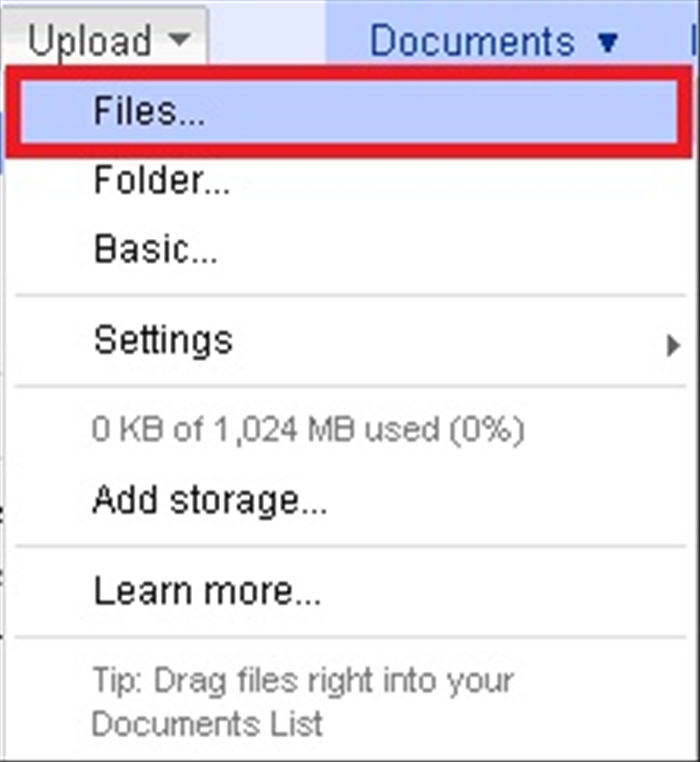 In the menu that opens, you can choose to upload files by pressing "Files" or you can upload folders by pressing the "Folders" option. Then choose the file or folder you wish to upload.
 -
- 3
Step 3
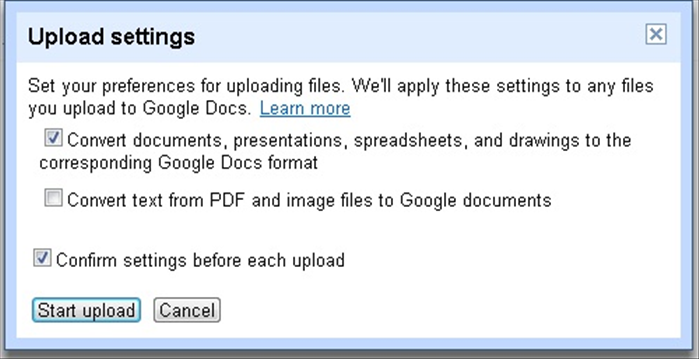 After you choose a file or a directory, you will receive a message asking if you wish to convert the files you are uploading into a google documents format. If you do not want to be asked this question every time you upload a file, removed the check where listed "Confirm settings before each upload" And click the button "Start upload".
 - 4
Step 4
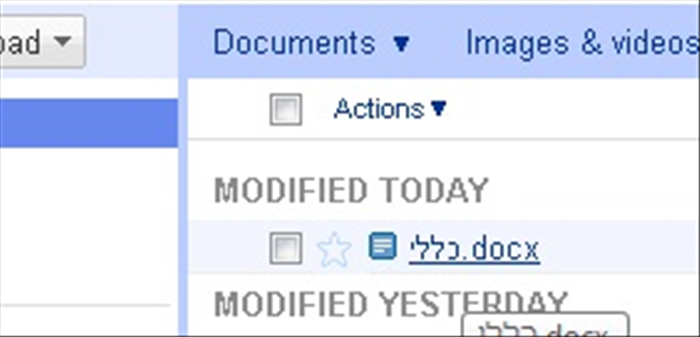 Once you confirm the file, it will be uploaded and you can see it on the main page.
 - 5
Step 5
Click on the file on the main page to view it and edit it.