How to use Google reader
Instead of visiting your favorite sites every day, to see what new content they have, you can use Google Reader. Google reader is a free tool from Google that enables you to get information directly about these sites using an RSS feed. This guide explains the basic of how to work with Google Reader.
Easy 1,899 views
What You'll Need
- google reader
- RSS
- רידר
- גוגל רידר
- פיד
- עדכוני אתרים
- עדכונים
Steps
- 1
Step 1
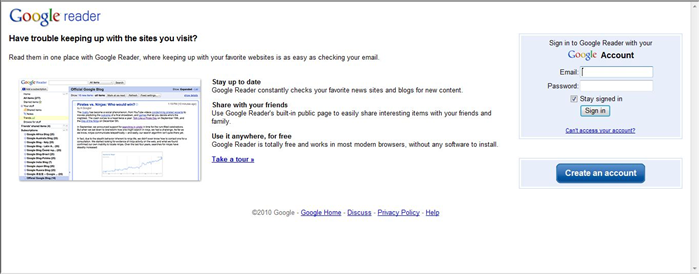 Go to Google Reader (link at the end of the guide) and sign in using your Google account. If you do not have an account you can create one on the same page.
 - 2
Step 2
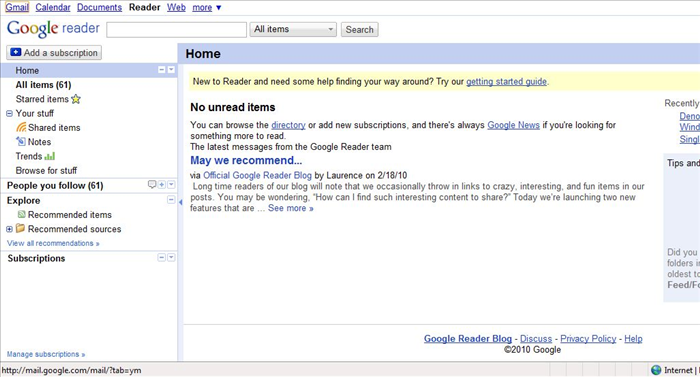 Now you will see a page that is divided into two: the menu is on the left side and the content is on the right.
 -
- 3
Step 3
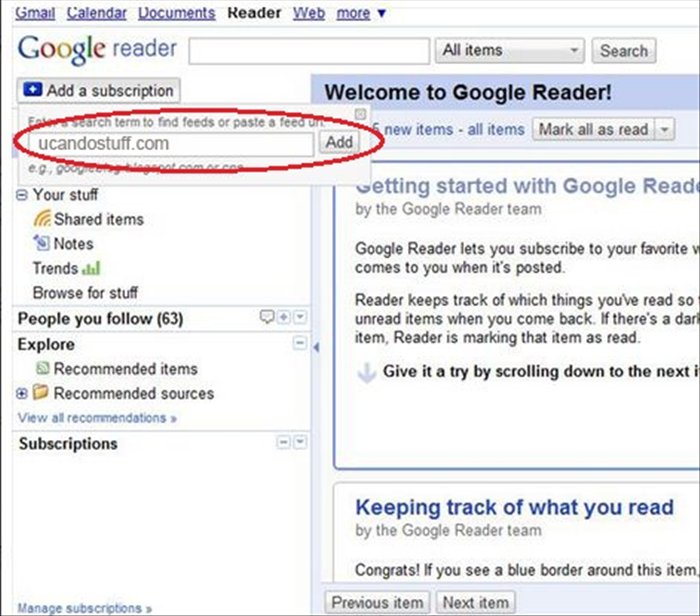 Enter the name of the site you want to receive updates from and click "add." In addition, the sites from which you want to feed them, you can press the button "RSS".
 - 4
Step 4
 במידה והאתר לא מספק פידים של RSS גוגל רידר ישאל אתכם אם ברצונכם להתעדכן ע"י פיד שהוא יצור. לחצו על "create a feed"
 - 5
Step 5
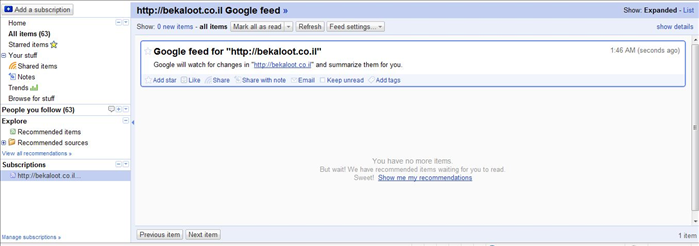 כעת גוגל רידר יציג בפניכם את העדכונים השוטפים.
 - 6
Step 6
קיימת עוד אופציה בסיסית ומעניינת בגוגל רידר - ניתן לקבל המלצות במידה ואינכם מכירים אתרים מעניינים להתעדכן בהם. - 7
Step 7
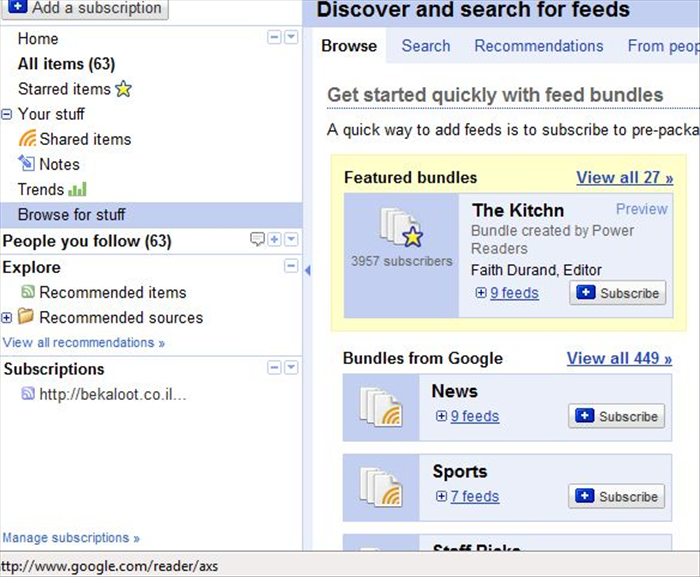 לחיצה על כפתור ה"Browse for stuff" תפתח בחלק הימני של החלון המלצות לעדכונים מעניינים שאפשר לקבל.
 - 8
Step 8
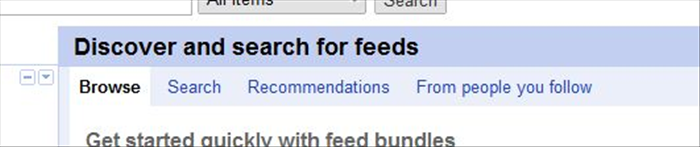 ניתן לקבל קבוצות של עדכונים "Bundles" בכל מיני נושאים או שאפשר לבחור לקבל עדכונים מחברים, המלצות או לחפש בעצמכם.
 - 9
Step 9
אלו הם רק שני רכיבים בסיסיים אך מעניינים של גוגל רידר - קיימים עוד אופציות מעניינות שכדאי לחקור.