איך להוריד ולהתקין ווייר שארק (Wireshark)
Wireshark זו תוכנה בקוד פתוח המנתחת נתונים. משתמשים בWireshark לרוב בכדי לעקוב אחר נתונים העוברים ברשת ובפיתוח אפליקציות ופרוטוקולי תקשורת.
Easy 1,248 views
What You'll Need
- wireshark
- תקשורת
Steps
- 1
Step 1
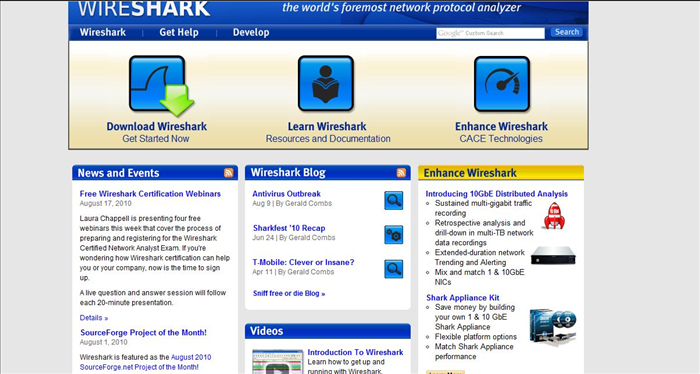 הכנסו לאתר Wireshark.com
 - 2
Step 2
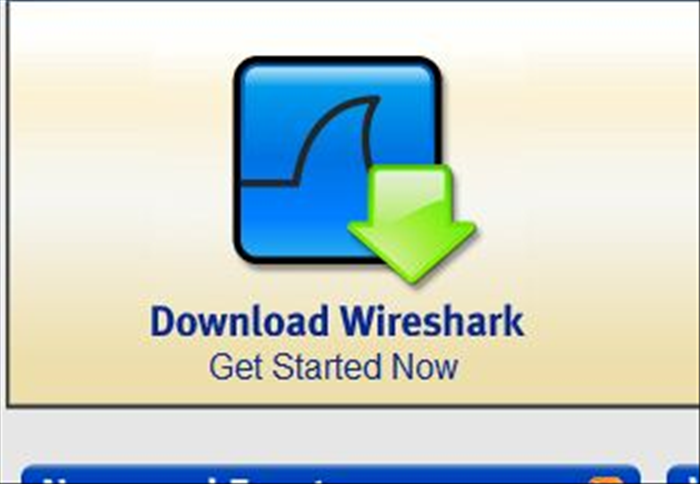 לחצו על כפתור ה Download wireshark.
 -
- 3
Step 3
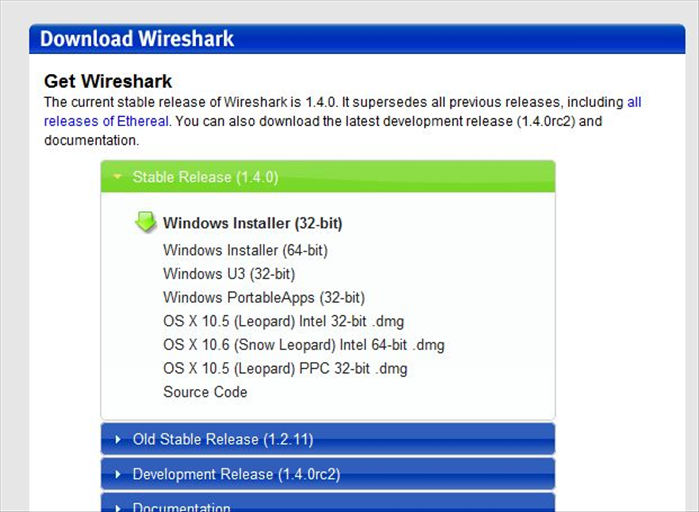 בחרו בגרסה המתאימה לכם והקליקו עליה. בחרו ספריה אליה תורידו את האפליקציה.
 - 4
Step 4
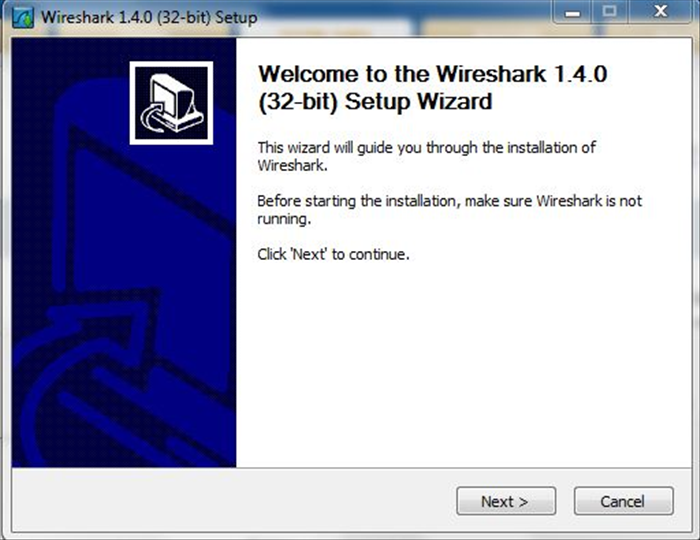 הפעילו את קובץ ההתקנה שהורדתם בכדי להתחיל את אשף ההתקנה של Wireshark. לחצו על כפתור ה"Next".
 - 5
Step 5
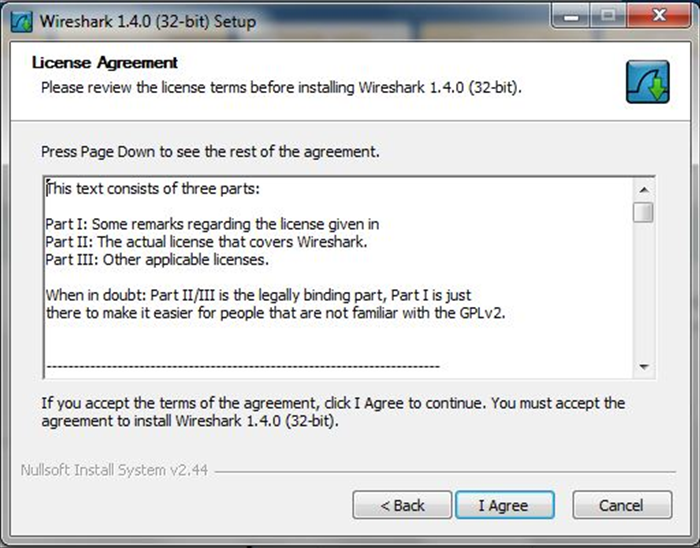 לחצו על כפתור ה"I agree" בכדי להתקדם בתהליך ההתקנה.
 - 6
Step 6
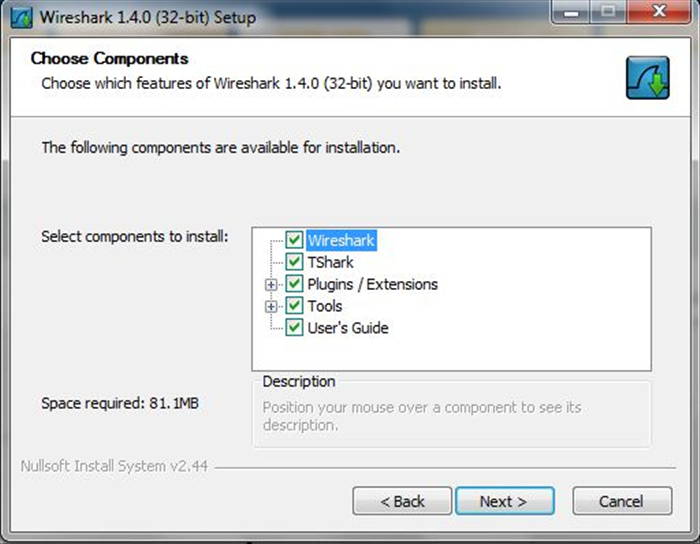 סמנו את הרכיבים שברצונכם להתקין (מומלץ להשאר עם בחירת המחדל) ולחצו על כפתור ה"Next".
 - 7
Step 7
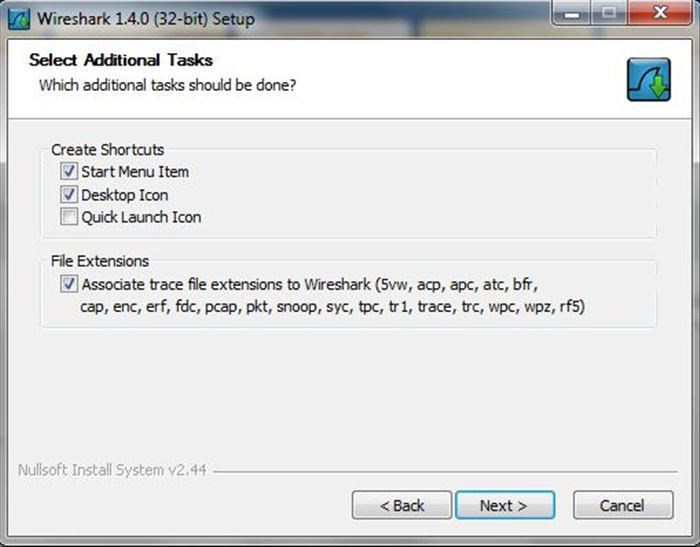 לחצו שוב על כפתור ה"Next".
 - 8
Step 8
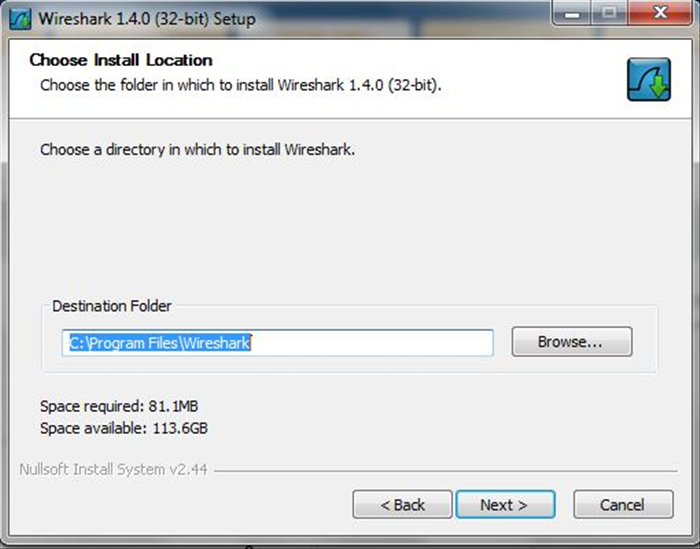 בחרו את הספריה בה תרצו להתקין את Wireshark, ניתן להכניס את הנתיב בשדה או שאפשר ללחוץ על כפתור ה"Browse" ולבחור את הספריה המתאימה. לסיום לחצו על כפתור ה"Next".
 - 9
Step 9
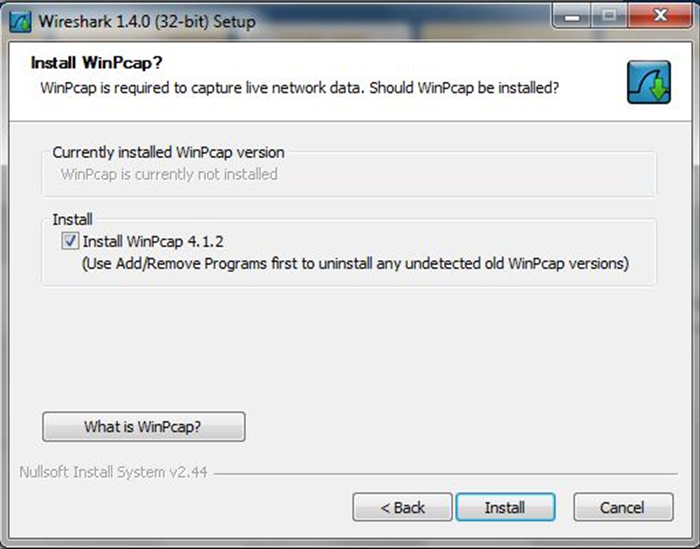 כעת תתבקשו להתקין את תוכנת WinPcap (הכרחית לעבודה עם Wireshark) , סמנו את קופסת הוי ולחצו על כפתור ה"Install".
 - 10
Step 10
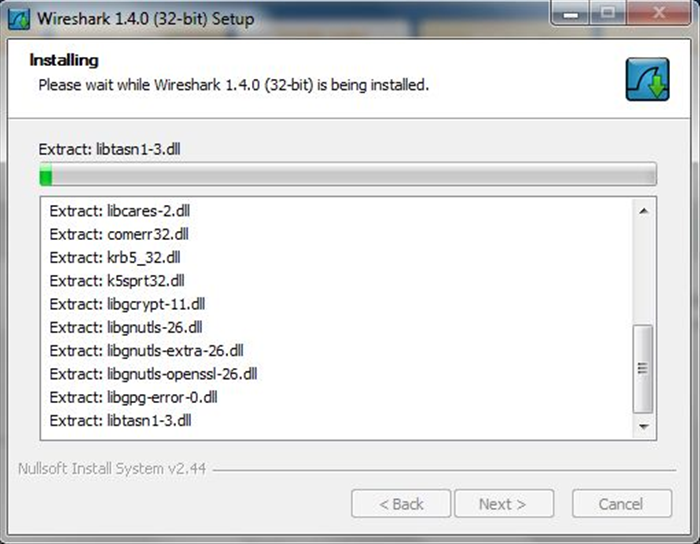 ההתקנה תחל.
 - 11
Step 11
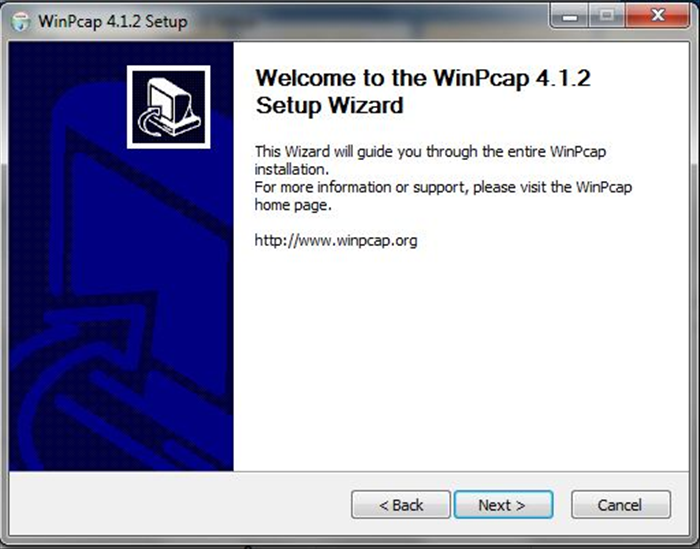 במהלך ההתקנה יופיע אשף ההתקנה של winPcap. לחצו על כפתור ה"Next".
 - 12
Step 12
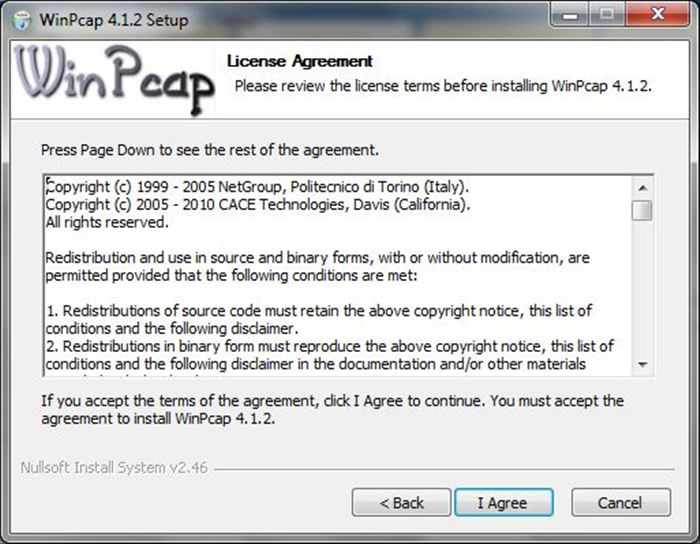 לחצו על כפתור ה"I agree".
 - 13
Step 13
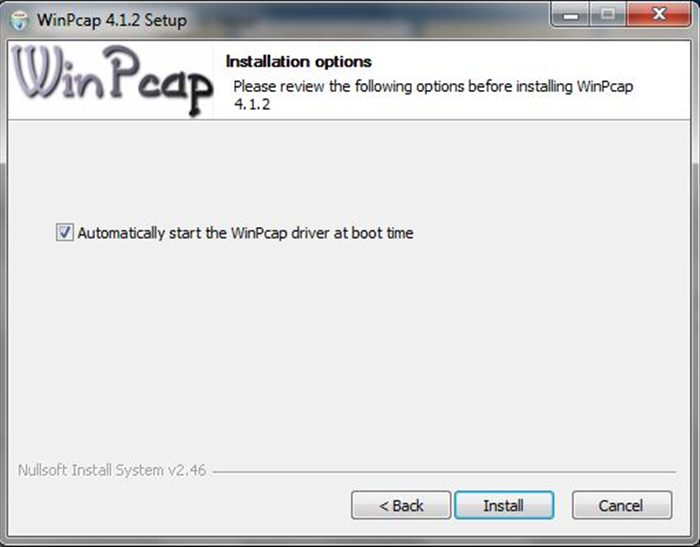 לחצו על כפתור ה"Install".
 - 14
Step 14
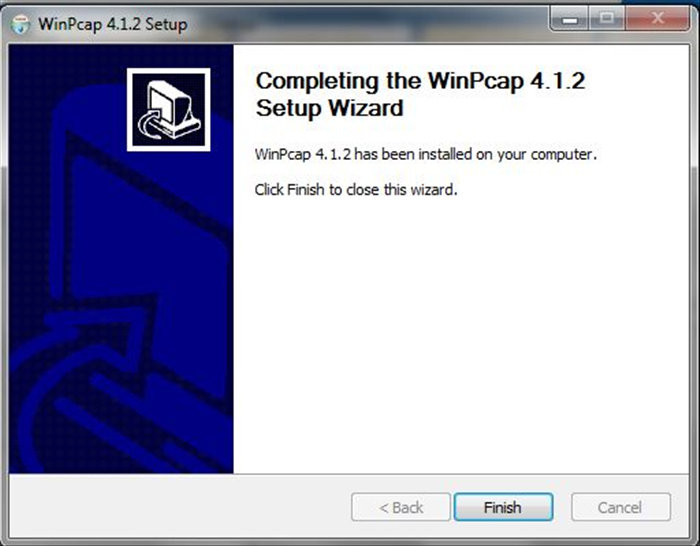 לסיום התקנת הwinPcap לחצו על כפתור ה"Finish".
 - 15
Step 15
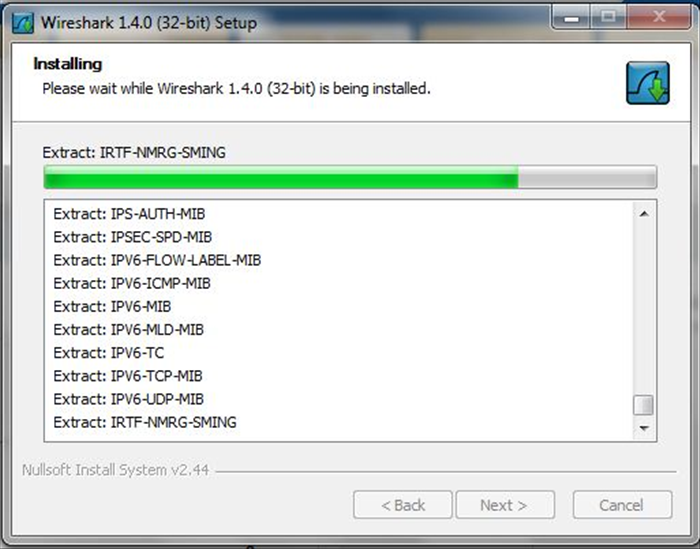 כעת תמשך התקנת הWireshark.
 - 16
Step 16
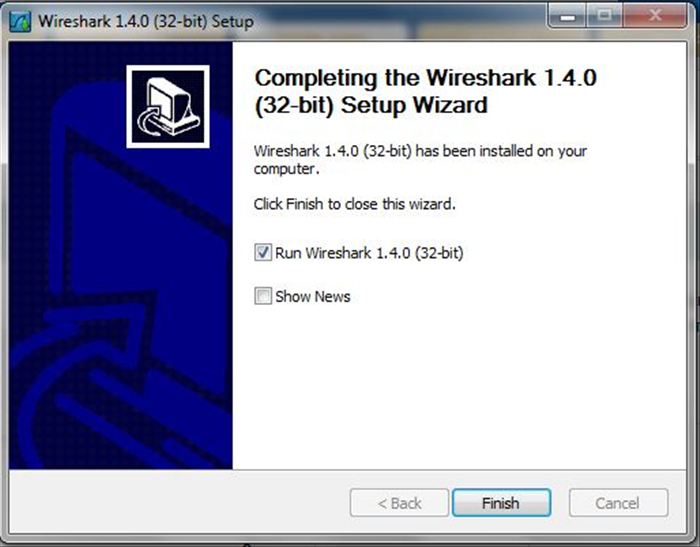 לאחר סיום ההתקנה לחצו על כפתור ה"Finish" והחלו לעבוד עם wireshark.