How to view hidden folders in Windows 7

How to view hidden folders in Windows 7

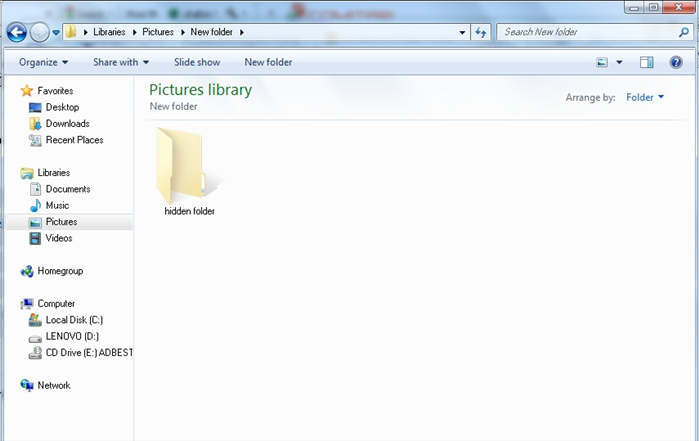
Viewing hidden files and folders in Windows 7 requires logging in to the Control Panel and to playing around with the settings. This guide explains how to do it.

Easy 7,753 views

What You'll Need

  • view hidden files
  • view hidden folders
  • view windows 7 hidden files and folders

Warning

Some folders contain hidden operating system files. If you change, move or delete them you can cause serious damage.

Steps

  1. 1

    Step 1

    Step 1
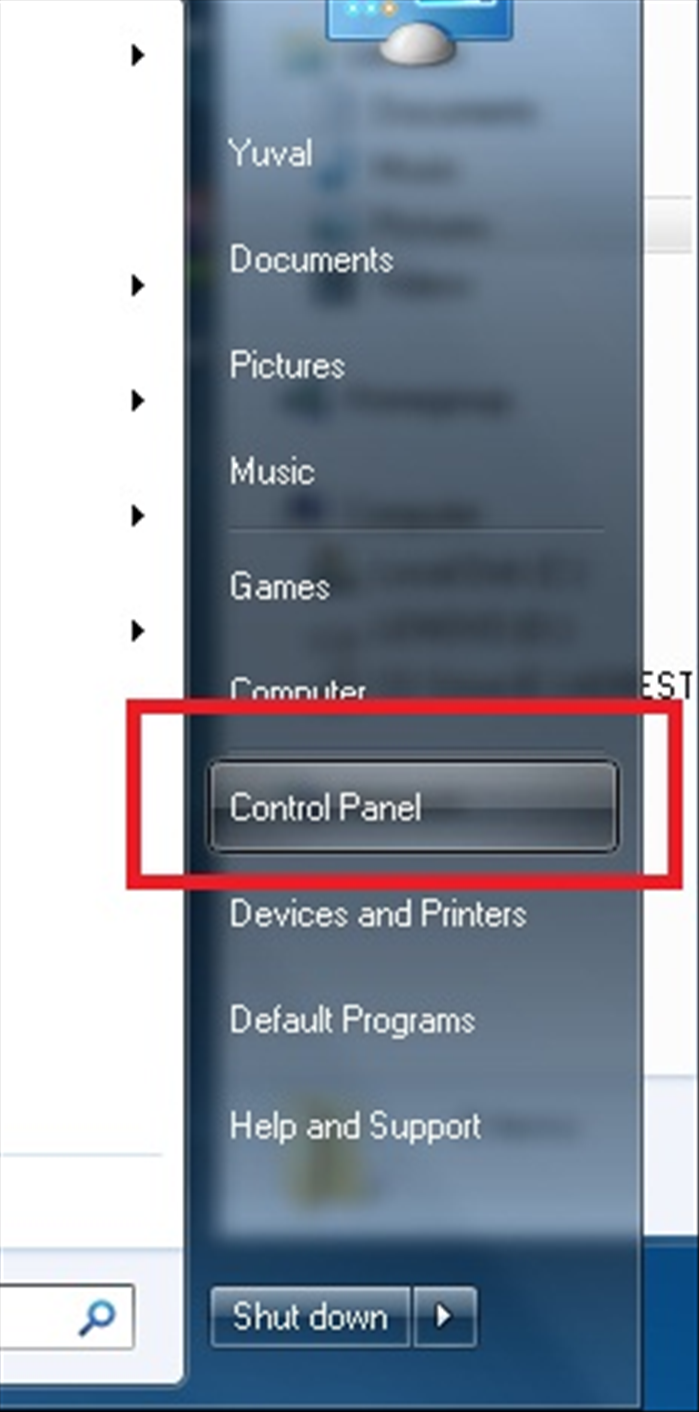
    click on the Start menu and select "Control Panel."
  2. 2

    Step 2

    Step 2
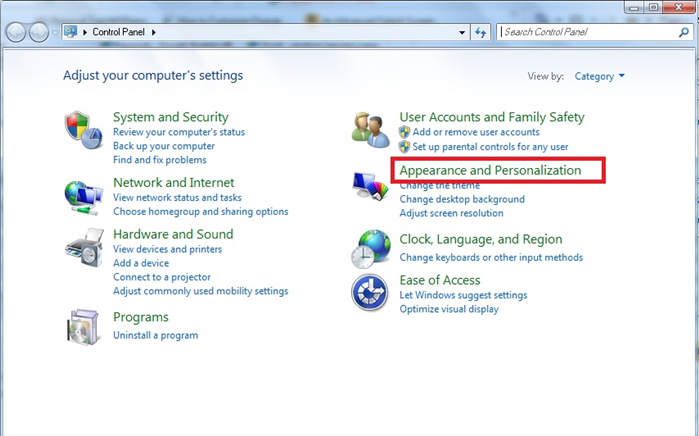
    Click on "Apperance and personalization".
  3. 3

    Step 3

    Step 3
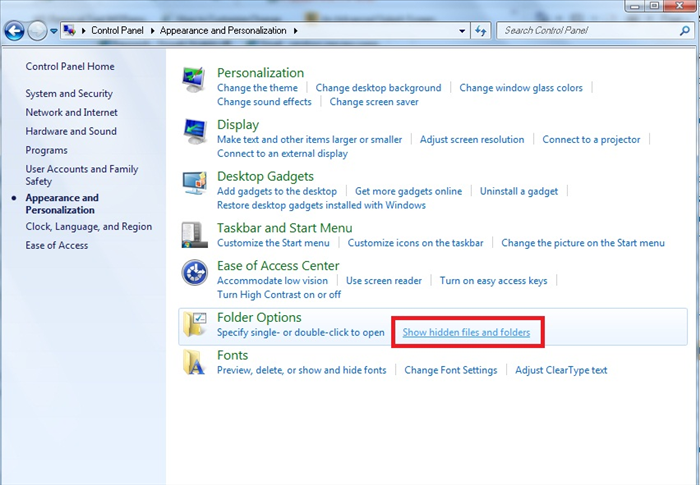
    Under "Folder options" click on "Show hidden files and folders".
  4. 4

    Step 4

    Step 4
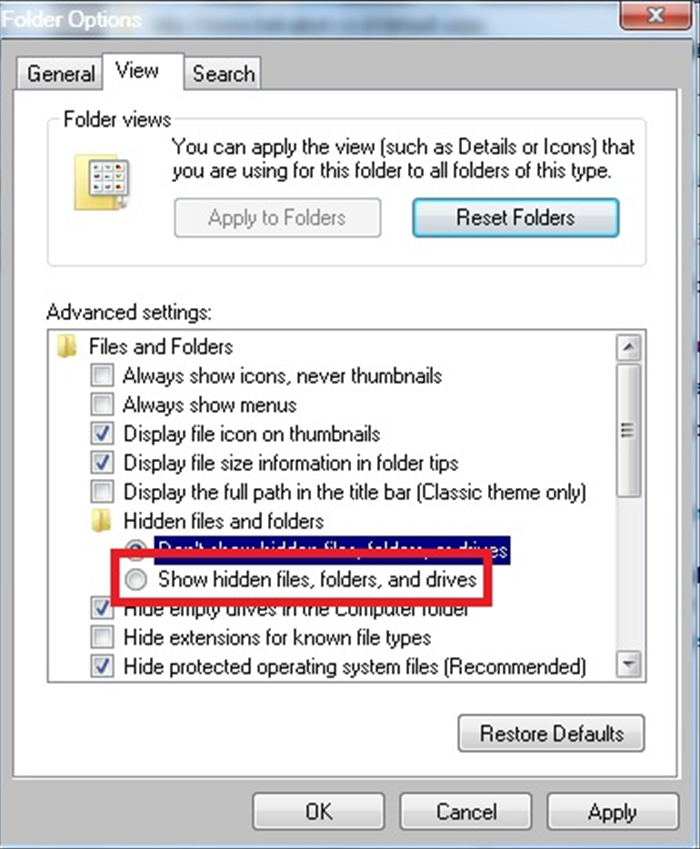
    Select the "Show hidden files, folders and drives" option and click on the "OK" button
  5. 5

    Step 5

    Step 5
    Now all the hidden directories will be seen in a transparent. folder.

Related Guides

NAS vs SAN: Choosing the Right Data Storage Solution for Home & Business

Compare Network Attached Storage (NAS) and Storage Area Network (SAN) to choose the best data storage. Learn differences, pros, cons, use cases, and expert tips.

Medium 9K views
How to Take a Screenshot on Windows 10 & 11 (Easy Guide)

How to Take a Screenshot on Windows 10 & 11 (Easy Guide)

Learn multiple easy ways to take a screenshot on Windows, including using the Snipping Tool, Print Screen, and keyboard shortcuts. Perfect for tech support or creating guides.

Easy 11K views
How to Find Your IP Address: Local and Public IP on All Devices

How to Find Your IP Address: Local and Public IP on All Devices

Learn how to find your local and public IP address on Windows, macOS, Linux, and mobile devices. Essential for network troubleshooting and setup.

Easy 10K views
How to Bulk Rename File Extensions in Windows

How to Bulk Rename File Extensions in Windows

Learn to efficiently rename multiple file extensions in Windows using File Explorer, Command Prompt, and PowerShell. Includes troubleshooting tips, safety warnings, and best practices for managing your files.

Medium 9K views
Handbrake Tutorial: Convert Videos for iPhone, iPad & Apple TV (Easy Guide)

Handbrake Tutorial: Convert Videos for iPhone, iPad & Apple TV (Easy Guide)

Unlock your media! Learn how to use Handbrake to easily convert DVDs and video files into formats perfect for your iPhone, iPad, iPod Touch, or Apple TV. Get optimal settings for quality playback.

Easy 9K views
How to Install IIS web server on Windows XP

How to Install IIS web server on Windows XP

There are people who dream of being pilots, there are those who want to be firefighters and people who always dreamed of installing IIS 5.1 on Windows XP PRO. In this guide we will explain how to install the Microsoft IIS on XP PRO operating system.

Hard 1K views