איך לשנות רקע וערכת נושא בג'ימייל (Gmail)

איך לשנות רקע וערכת נושא בג'ימייל (Gmail)

מסתבר שאפשר אחרת. אין צורך יותר בתיבה הישנה והמשעממת, בעזרת מדריך זה תוכלו להחליף את רקע וערכת הנושא של תיבת הג'ימייל שלכם למשהו שהוא קצת יותר לטעמכם.

Easy 1,050 views

What You'll Need

  • ג'ימייל
  • שינוי ערכת נושא בג'ימייל
  • שינוי רקע בג'ימייל
  • רקע בג'ימייל
  • gmail

Steps

  1. 1

    Step 1

    Step 1
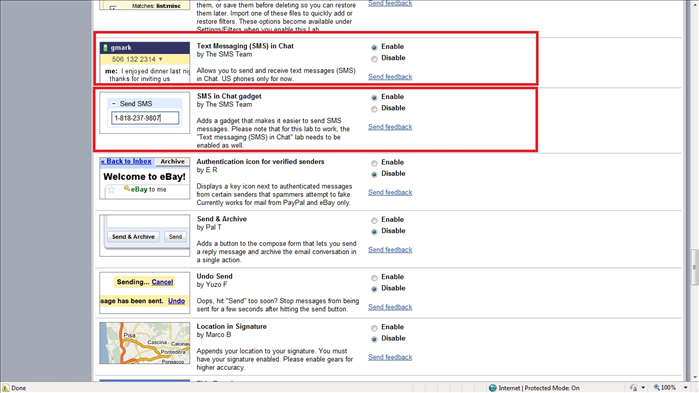
    הכנסו לתיבת הג'ימייל שלכם. בחלק הימני העליון קיים כפתור בצורת מבחנה, זהו כפתור ה"Google labs" , לחצו עליו.
  2. 2

    Step 2

    Step 2
    בטאבים המופיעים מולכם בחרו בטאב "Themes".
  3. 3

    Step 3

    Step 3
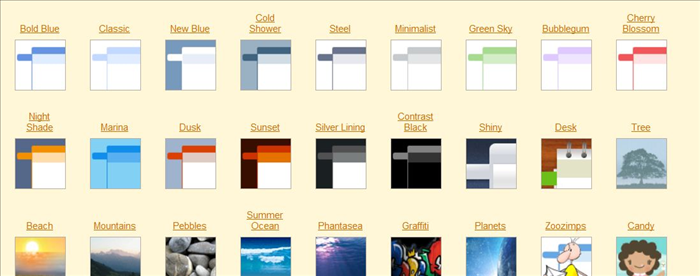
    בחרו את ערכת הנושא המתאימה לכם ולחצו עליה. אל דאגה, ברגע שתשנו את הרקע של תיבת הג'ימייל תוכלו לשנות אותו חזרה בכל רגע.
  4. 4

    Step 4

    Step 4
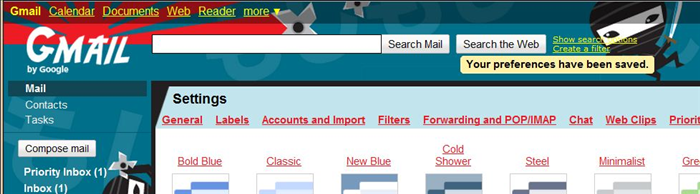
    תיבת הג'ימייל שלכם שינתה את פניה ותקבלו תיבה שמתאימה לכם קצת יותר.
Related Guides

How to get your email from Gmail on Outlook

How to get your email from Gmail on Outlook

This guide we will explain how have your email from your Gmail account delivered to Outlook. You can do it in a few simple steps.

Easy 2K views
How to leave an "out of office" message in your email

How to leave an "out of office" message in your email

Someone may try to contact you if you are on vacation, not in the office or just do not want to answer emails. Outlook may send a "not found" to someone trying to send you email.

Easy 1K views
How to send an SMS for free from Gmail

How to send an SMS for free from Gmail

Gmail lets you send free SMS messages to most cell phone networks. This guide we will explain how to add this option to your email and also what are the benefits and limitations

Medium 5K views
איך לדעת אם פרצו לכם לחשבון הג'ימייל (Gmail)

איך לדעת אם פרצו לכם לחשבון הג'ימייל (Gmail)

חברים שלכם שואלים אתכם פתאום למה אתם שולחים להם לינקים מוזרים מהמייל? אתם מרגישים שמשהו חשוד מתרחש לכם בתיבה? כנראה שפרצו לכם לחשבון הGMAIL. מדריך זה יסביר לכם כיצד לדעת בוודאות אם פרצו לכם למייל ומה לעשות במקרה כזה.

Easy 1K views
How to automatically sign all messages sent from Gmail

How to automatically sign all messages sent from Gmail

A signature is a personalize text appearing at the end of your email. It can include your name and contact information, your favorite quote, an image, a link or any other text you want to appear at the bottom of your emails. This guide will explain how to use the Gmail auto signature feature to save you from the tedious task of adding your signature to each Email that you send.

Easy 2K views
How to send encrypted e-mail

How to send encrypted e-mail

If you have sensitive information that you would like to email, you may want to think about sending it encrypted. You never know who can get your information along the way.

Medium 1K views