איך להתקין Windows 7 מכונן USB
מדריך זה יאפשר לךלהכין USB Disk-On-Key, שבאמצעותו יהיה ניתן להתקין Windows 7 על המחשב. טוב במיוחד למי שאין לו כונן דיסקים במחשב. יש לוודא לפני שברשותכך: 1. כונן USB נייד Disk-On-Key בנפח 4 ג'יגה לפחות. 2. מערכת הפלה Windows Vista ומעלה. 3. דיסק התקנה של Windows 7 או קובץ התקנה ISO של Windows 7 .
Medium 1,283 views
What You'll Need
- windows התקנה usb וינדווס דיסק
Steps
- 1
Step 1
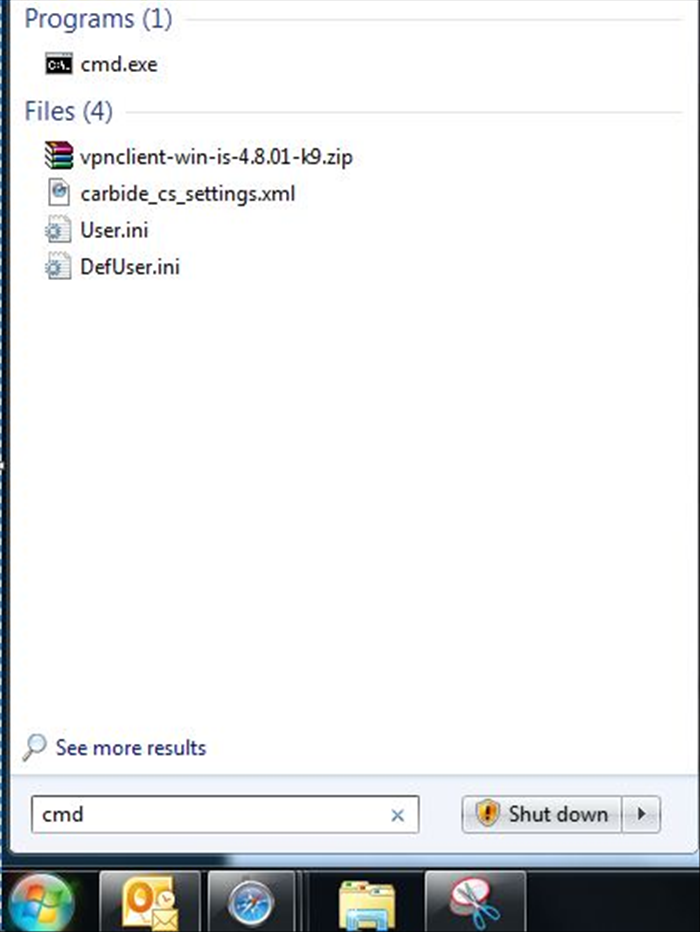 חבר למחשב את כונן הUSB ולחץ על Start, משם הקלד CMD ולחץ Enter.
 - 2
Step 2
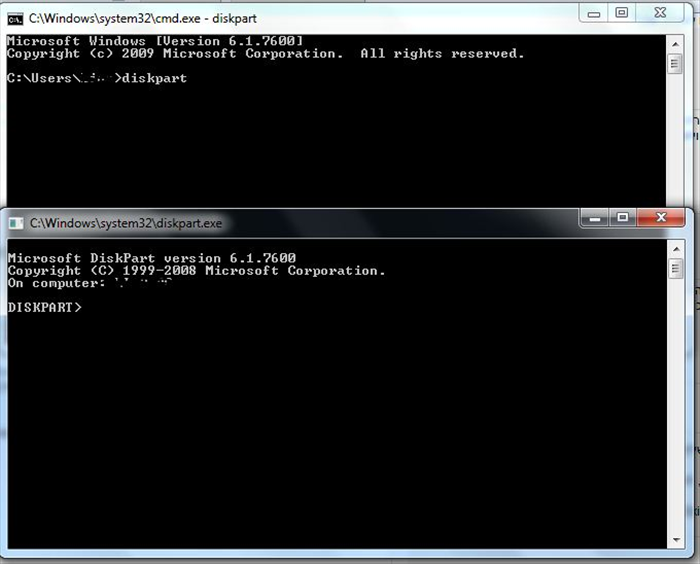 כעת, הקלד את הפקודה Diskpart ולחץ Enter.
 -
- 3
Step 3
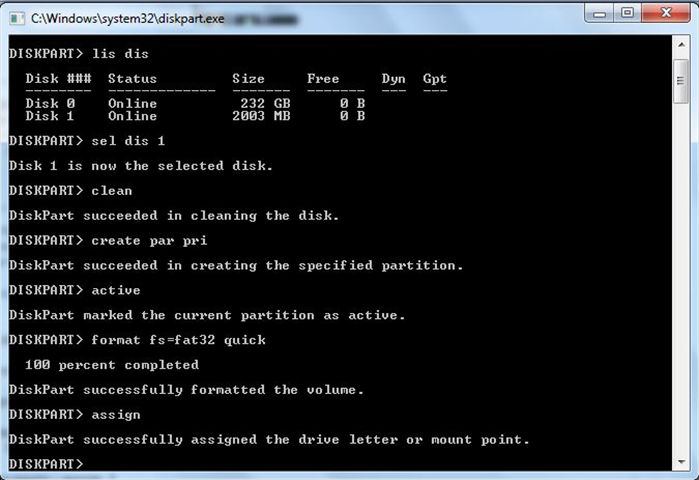 בחלון שנפתח הקלד את הפקודות הבאות : 1. lis dis – מציג את מספר הכוננים המחוברים למחשב ואת הנפח שלהם. שים לב לספרה של כונן הUSB שלך. 2. sel dis 1 – הספרה 1 בפקודה מסמנת את מספר הכונן. יכול ליהיות שישתנה בהתאם למספר הכוננים המחוברים למחשב. 3. clean 4. create par pri 5. active 6. format fs=fat32 quick – מפרמט (מוחק) את הכונן. 7. assign
 - 4
Step 4
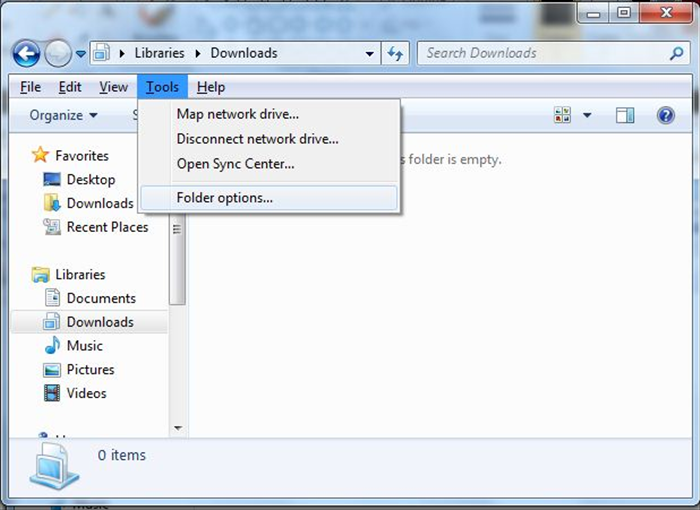 כעת, הכנס אל "המחשב שלי" ולחץ על כפתור ה-Alt במקלדת, בחר ב-Tools ולחץ על- Folder Options.
 - 5
Step 5
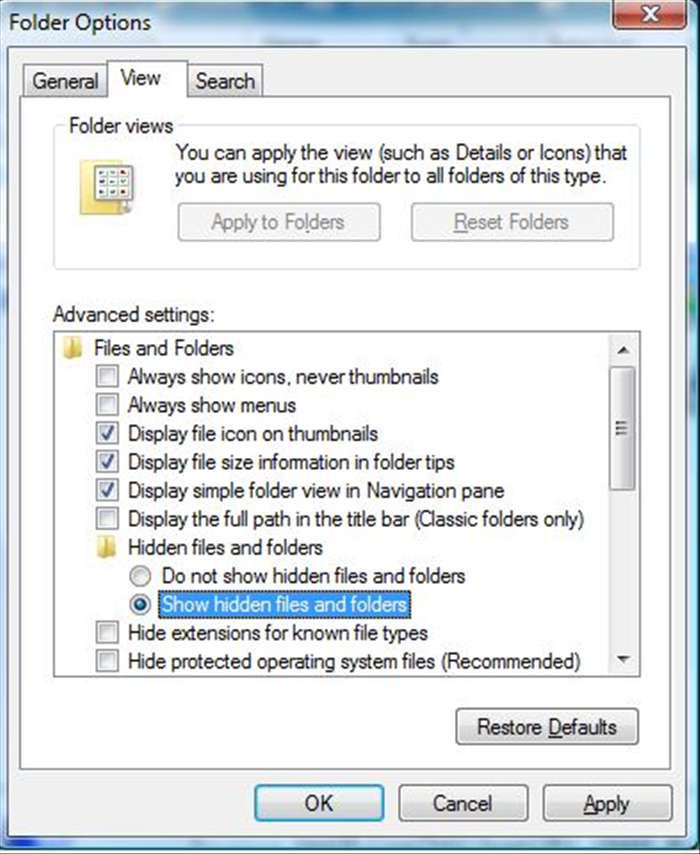 כעת, גש לטאב- View הנמצא בחלק העליון, סמן את האפשרות Show hidden files and folders והסר את האפשרות (Hide protected operating systems files (Recommended.
 - 6
Step 6
כעת, בצע העתקה של כל תוכן דיסק ההתקנה של Windows 7 או תוכן קובץ ה ISO אל מחיצת הכונן (ה-USB). - 7
Step 7
במחשב עליו ברצונך להתקין Windows 7, עליך להגדיר ב-BIOS שיפעיל את המחשב מכונן ה-USB שלך (Removable Media) במקום מהדיסק הקשיח. - 8
Step 8
הפעל מחדש את המחשב, והתקנת מערכת ההפעלה תעלה מכנון ה-USB.