How to know how much radiation your cellphone is emitting
If you are concerned about the amount of radiation your device generates or are thinking about replacing it, you should be updated amount of radiation it produces, to select the one with the lowest!
Easy 636 views
What You'll Need
- פלאפון
- פלא
- מכשיר
- מכשיר סלולרי
- סלולר
- טלפון
- קרינה
- רמת קרינה
- קרינה גבוהה
Warning
האחריות על המידע, הדירוגים והסקירות היא על האתר http://cellphones-radiation-ratings.com/review/ בלבד.
Steps
- 1
Step 1
ראשית כל, בררו את דגם המכשיר ואת החברה. ניתן לעשות זאת דרך חברת הסלולר שלכם. - 2
Step 2
היכנסו לאתר הבא: http://cellphones-radiation-ratings.com/review/ או ללינק המצורף בהמשך המדריך. -
- 3
Step 3
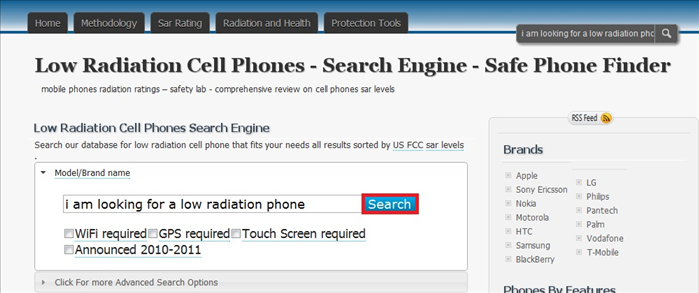 במרכז האתר תוכלו לראות מנוע חיפוש למכשירים, רשמו בו את שם החברה ואת דגם המכשיר ולחצו על search.
 - 4
Step 4
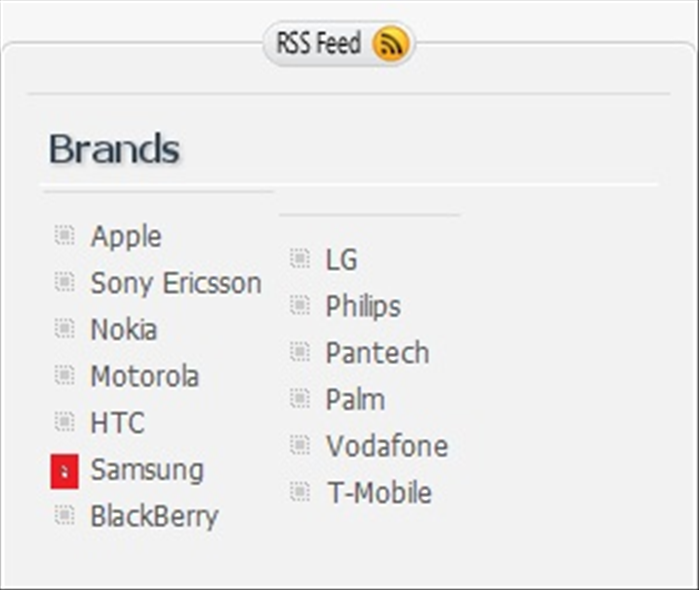 במידה ואין לכם את הדגם של המכשיר, בצד ימין של האתר תוכלו לראות את הכותרת Brands ומתחתיה את רשימת חברות הסלולר, לחצו על החברה של המכשיר שלכם וחפשו ברשימות את הדגם שלכם וכאשר תמצאו אותו לחצו על הדגם.
 - 5
Step 5
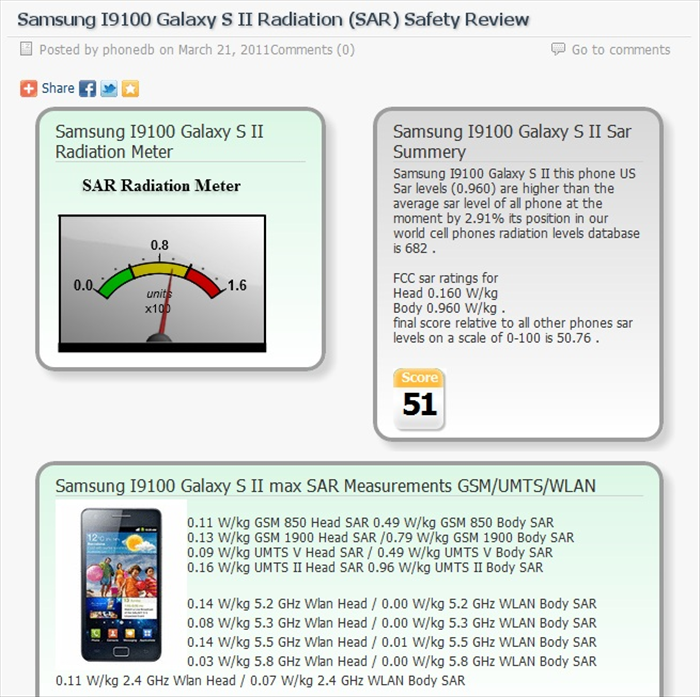 לאחר שמצאתם את הדגם שלכם תוכלו לראות תמונה של מד קרינה וחץ המורה על רמת הקרינה של המכשיר, 0.8 זאת רמה ממוצעת של קרינה וזה נותן לכם אינדיקציה אם הרמת קרינה של מכשירכם גבוהה מידי או ברמה טובה.
 - 6
Step 6
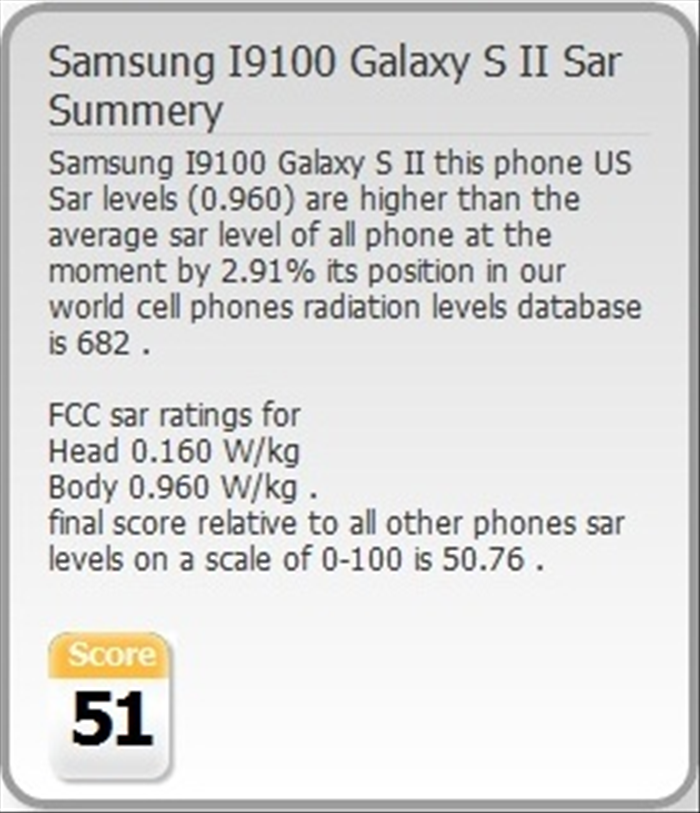 מצד ימין למד הקרינה תוכלו לקבל דירוג על המכשיר ביחס לשאר המכשירים. אם הדירוג בצבע אדום המכשיר אינו מומלץ, אם בצבע צהוב הוא ברמה טובה.
 - 7
Step 7
מתחת למד הקרינה תוכלו לקבל סקירה מלאה על המכשיר כמו למשל מידותיו ושאר מידע טכני. - 8
Step 8
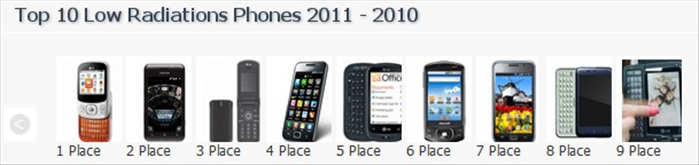 אם אתם סתם משוטטים באתר, בעמוד הראשי ישנם עשרת המכשירים עם מות הקרינה הנמוכות ביותר לשנה הנוכחית אז שווה לבדוק :)